Showing posts with label Andrew Stillman. Show all posts

Thursday, August 14, 2014

ADD-ON ALERT!! SUPER QUIZ!

If you are a fan of Flubaroo you have to check out Google's latest Add-On, Super Quiz! Oli Trussel O Trussell - Google+ is the creator of what many educators are calling Flubaroo on steriods! So what makes Super Quiz overshadow Flubaroo? Well, other than a more intense version of student feedback and teacher analyzation, Super Quiz boasts a self grading script like Flubaroo that automatically grades submissions immediately after they are electronically submitted without updating the instructor.  This means that late submissions are graded without the teacher having to manually activate the self grading script.  Perhaps the best part of Super Quiz is that it features a triggered mail merge option for immediate student feedback.  This particular feature has been unavailable in Google's new spreadsheets and has been a hold up for developers like Andrew Stillman-creator of Autocrat, G-Class folders and Doctopus; whose Add-Ons rely heavily on mail merge. Mail merge combines information from a spreadsheet with a pre created document to mass produce and personalize submission results.

Super Quiz is available as an Add-On Google in Sheets and is easy to install and the creator is readily available to answer questions and updates on Google+. To find out more and check out a video, click on the Google+ link above!

Best,
#mrford#techsavvyteacher


Saturday, June 21, 2014

SCRIPT ALERT!! AUTOCRAT!

Hey guys, I just finished making my first successful mail merge with autoCrat. autoCrat is another script or add on by Andrew Stillman that lets you merge results from a spreadsheet of a Form survey with a document template to mass produce individual returns or feedback from the submitted Form. Sound confusing? It's really not so once you have ran a couple of them yourself.

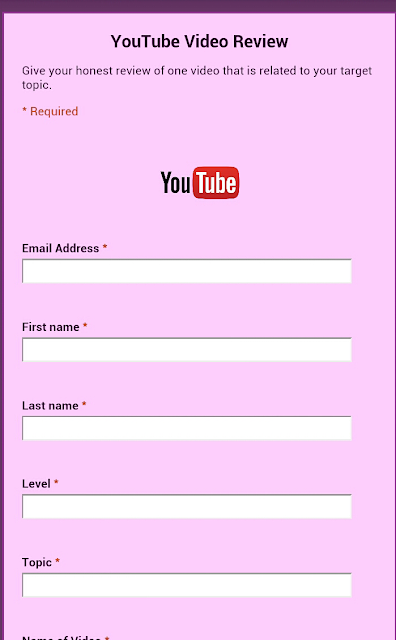
For example, this week I did a flipped class assignment and had my students give a YouTube Video Review on the assigned topic of Perfect Tenses of English. After filling out the form, I wanted to send my students an e mail confirmation resulting in a mail merge product. 

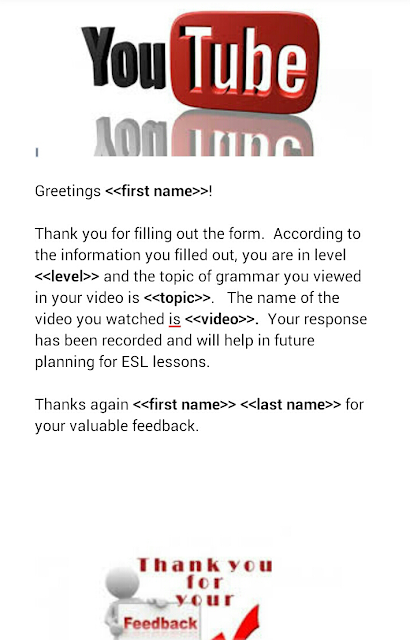
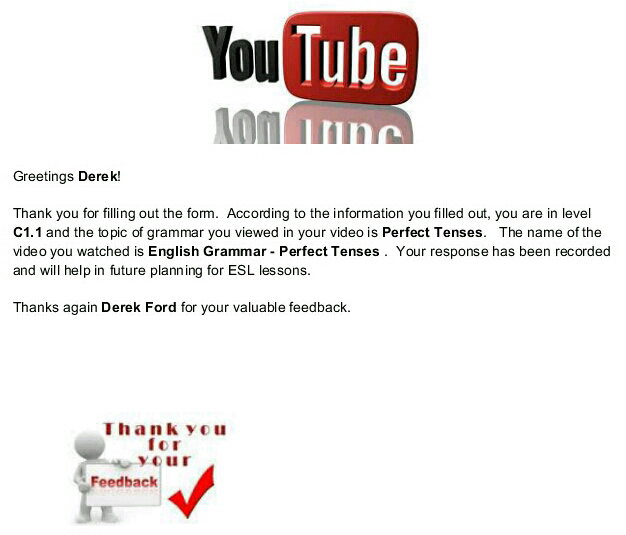
In their class blog, I pasted a link to a Google Form for reviewing a video (see below). Once the students completed the Form, I went to the response spreadsheet of that same Form and inserted Autocrat from the scripts gallery option.  Previously, I had created a shared document in Google Docs (see below) featuring carrots <<>> of where I wanted the information from the response spreadsheet to appear in their future mail merged confirmation. I also had to create folder for the final destniation storage of the final mail merged documents. After I ran Autocrat,  I checked my destination folder in Google Drive and found a mail merged copy of responses and the document I created for each Form submission by the student. Perfect!! Next, I emailed each student a copy their own individualized  email merged confirmation document.

I honestly feel that this script is probably more effective for administraation purposes versus classroom. I also understand that certain features that were available in the old Google spreadsheets, like automatically triggering return responses, are not available in the new Google spreadsheets so you will have to use an old sheets version if you want to have Google email the final mail merged documents to students without you having to do so.  To find out how to create your own mail merged document using autoCrat, check out this link to a video by Jesse Thorstad! http://youtu.be/xeRhzz4RuCA

Best,
#mrford#techsavvyteacher


My YouTube Video Review Form made in Google Forms


Shared document I created in Google Docs for mail merge

Final mail merged product via Autocrat

Monday, May 26, 2014

SCRIPT ALERT!! formLimiter!

One of my favorite little scripts is formLimiter.  Have you ever given a Google Form quiz or test and ended up screaming at your students who refuse to turn in the damn thing at the end of class because they want more time? Have you ever sent a link of that Form to a student who missed the quiz/test and it takes them two weeks to a month before their responses end up in your spreadsheet because the student knew there would be no time limit to handing it in?  Have you ever used Flubaroo to batch grade an assignment only to have that one student tell you they just handed it in after you have already sent student scores back?  The reinforcement of deadlines in a Google Forms can be ever annoying. Well, with formLimiter, reinforcement of submission deadlines just got real.

Unlike most scripts, formLimiter is easy to set up for beginners in script using. It is pretty straight forward. After you install the script, select how you want to limit the responses to the form by time limit, total number of responese or spreadsheet cell value.   For me the time limit is most useful. I can select a date and time to set for deadline submission.  After set, the form will no longer accept submissions.  This is great mostly because it will train students to respect deadline submission time and allow the teacher to stay better organized.  You can even send a notification to editors when the time limit is reached.  For more on formLimiter or more scripts in Google Forms, check out http://cloudlab.newvisions.org/

Best,
#mrford#techsavvyteacher